DeRemote - Control your Denon or Marantz

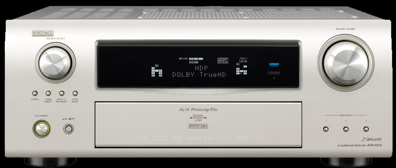
DeRemote is an iPhone/iPad App to remotely control your LAN connected Denon receiver. It is designed for everyday usage that allows to control power, volume, source selection, radio presets, usb/internet sources and surround mode.
Features:
-
•Bi-directional communication lets you precisely control audio source, video source, surround mode and volume
-
•Multiple Zones, Amplifiers and Receivers can be controlled via any number of iOS devices
-
•Comfortable source and surround selection via simple dial
-
•Navigation gives control over any usb or internet source available on your Denon.
• Shake your iPhone or iPod to mute or unmute the volume of the selected Zone
• Tuner presets are integrated into source selection to simplify source switching
-
•Denon and Marantz Amplifiers and Receivers on the local network (LAN) are automatically detected
Important:
DeRemote requires a Denon Amplifier or Receiver with BUILT-IN LAN, See the FAQ for an overview of supported equipment.

Denon and Marantz are registered trademarks of D&M Holdings, Inc. D&M Holdings does not support, endorse or have been involved in the development of this application. No claim to any copyright, ownership or license to D&M Holdings intellectual property is made.
Control for your Denon or Marantz Receiver via iPad, iPhone or iPod Touch